> For the complete documentation index, see [llms.txt](https://docs.rierino.com/llms.txt). Markdown versions of documentation pages are available by appending `.md` to page URLs; this page is available as [Markdown](https://docs.rierino.com/examples/training-examples/exercise-create-an-api-endpoint.md).
# Exercise: Create an API Endpoint
This page lists an exercise for building a minimal saga on Train RPC that returns {message: "Hello World"}.
This exercise creates a tiny saga and exposes it as an API endpoint. You will run it through the **Train RPC** runner. The flow uses only three steps: `Start` → `Transform` → `Success`.
### Before you start
* You can access the **Devops** app and the **Saga** screen.
* The training deployment (including `train_rpc`) is installed and running.
* You know your API base URL: `https://[YOUR_ADMIN_API_DOMAIN]`.
### What you’ll build
* **Saga path**: `/HelloWorld`
* **Runner**: `train_rpc` (via **Allowed For: Train RPC**)
* **Response**: HTTP `200` with body `{message: "Hello World"}`
{% stepper %}
{% step %}
### Open the Saga screen
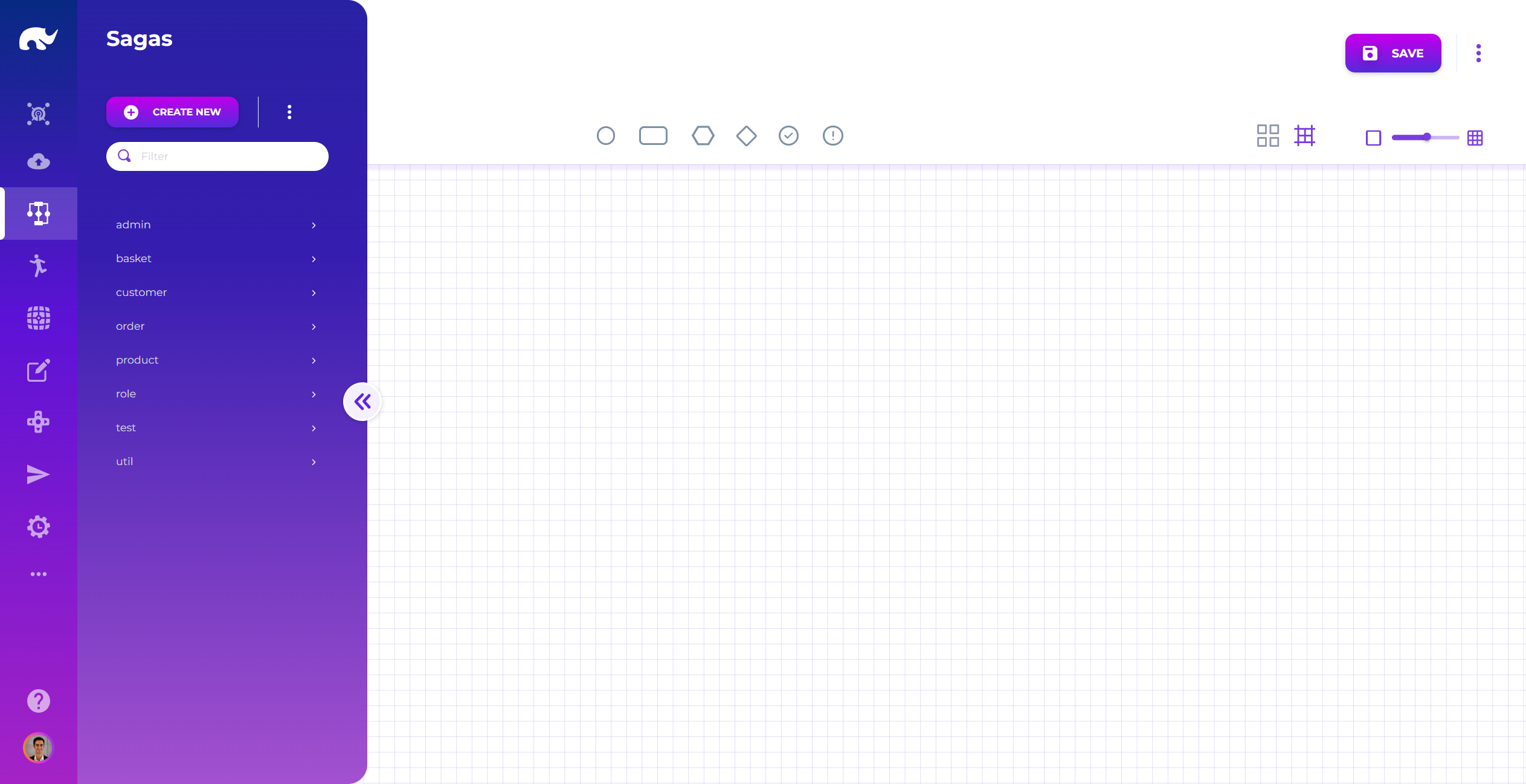
Open the [Saga](/devops/api-event-and-process-flows.md) screen from the [Devops](/devops/devops-overview.md) app.
Unless you changed routing, the UI is at `https://[YOUR_ADMIN_UI_DOMAIN]/app/devops/common/saga`.
Saga Screen
{% endstep %}
{% step %}
### Create a new saga
Click **CREATE NEW** in the left menu area. This clears the editor and opens a blank saga.
You’ll define the saga metadata first. Then you’ll design the step graph.
Create New Button
{% endstep %}
{% step %}
### Assign an ID
Click the pencil next to **ID:** and set a unique identifier.
For this exercise, use: `hello_world-0001`.
Saga ID Assignment
ID conventions (optional)
IDs can be auto-generated if an ID generator is configured. For core assets like sagas and queries, human-readable IDs make debugging and audits much easier.
{% hint style="info" %}
If you assign IDs manually, prefer alphanumerics plus `-` and `_`. For high-volume assets, consider a 4‑digit partition suffix (like `-0001`). For low-volume assets, you can skip partitioning.
{% endhint %}
{% endstep %}
{% step %}
### Define the saga (name, path, allowed runner)
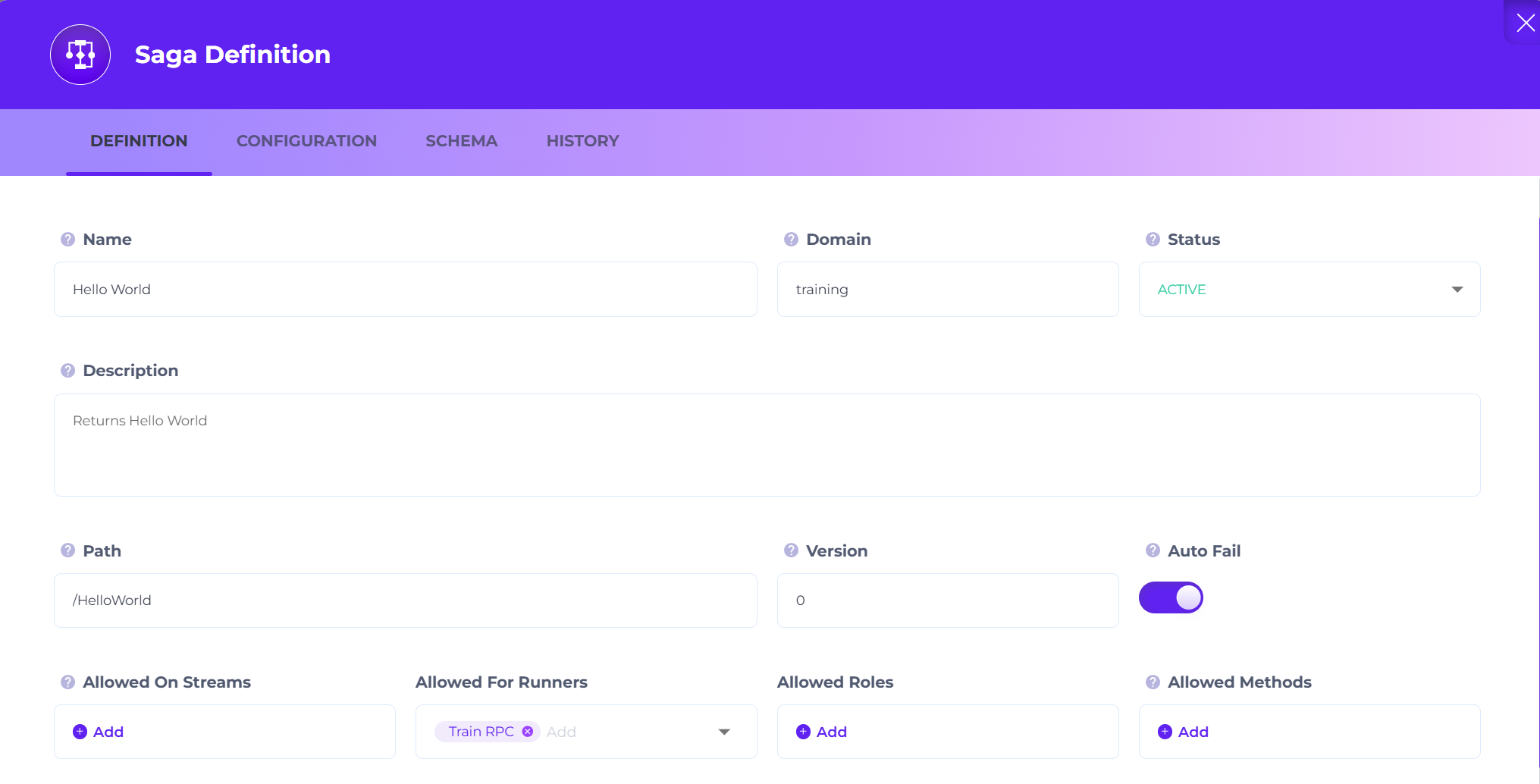
Click the **Definition** icon (circled edit icon) to open saga metadata.
Definition Button
Fill in these fields:
Hello World Saga
* **Saga Name:** `Hello World`
* **Saga Domain (optional):** `util`
* **Status:** `ACTIVE`
* **Saga Description (optional):** `Returns "Hello World"`
* **Saga Path:** `/HelloWorld`
* **Version:** `0`
* **Allowed For:** `Train RPC`
* **Auto Fail:** `true`
This means requests to `/HelloWorld` routed through `train_rpc` will execute this saga.
{% hint style="info" %}
**Allowed For** limits which runner can execute the saga. Leaving it empty allows any runner to execute it.
{% endhint %}
{% endstep %}
{% step %}
### Add steps (Start → Transform → Success)
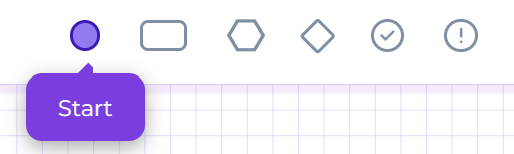
Drag a **Start** step from the stencil.
Saga Stencil
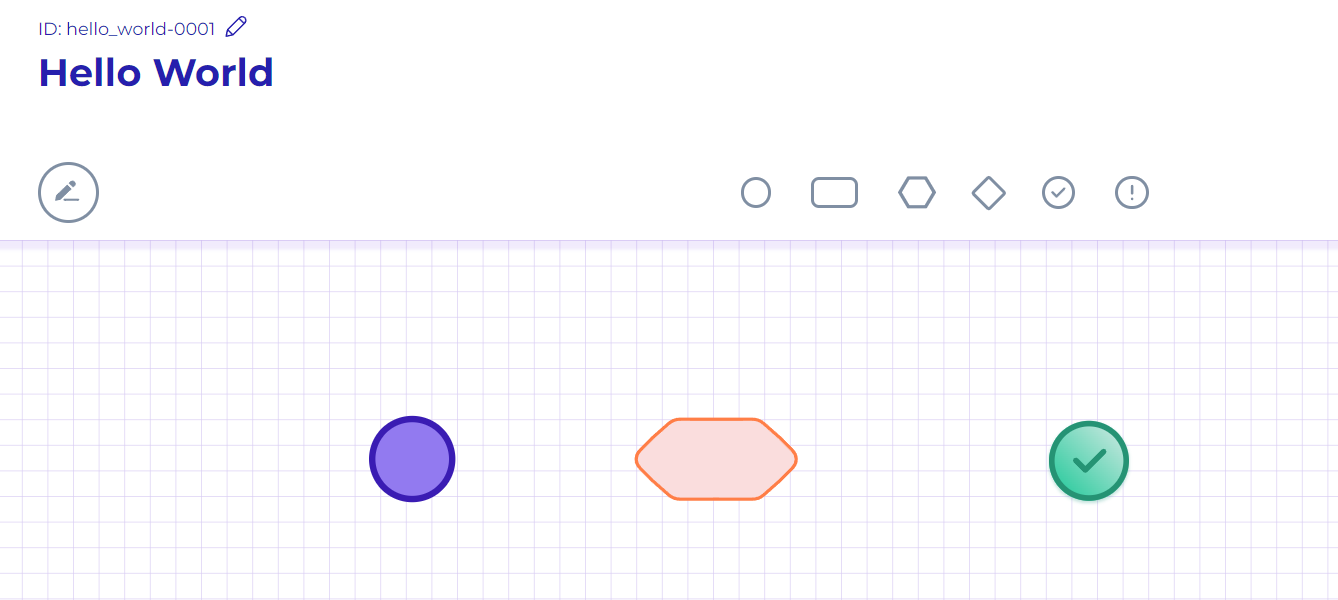
Drag a **Transform** step and a **Success** step.
Your canvas should look like this:
Saga Steps
Connect `Start` → `Transform`.
Saga Link
Connect `Transform` → `Success`.
Your graph should look like this:
Saga Links
{% endstep %}
{% step %}
### Configure the Transform step
The flow runs now, but it does not yet return `"Hello World"`. You’ll add a static value to the payload.
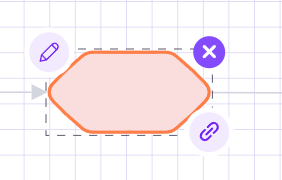
Select the [Transform](/devops/api-event-and-process-flows/configuring-saga-steps/transform-step.md) step. Click its pencil icon to edit.
Transform Step Icons
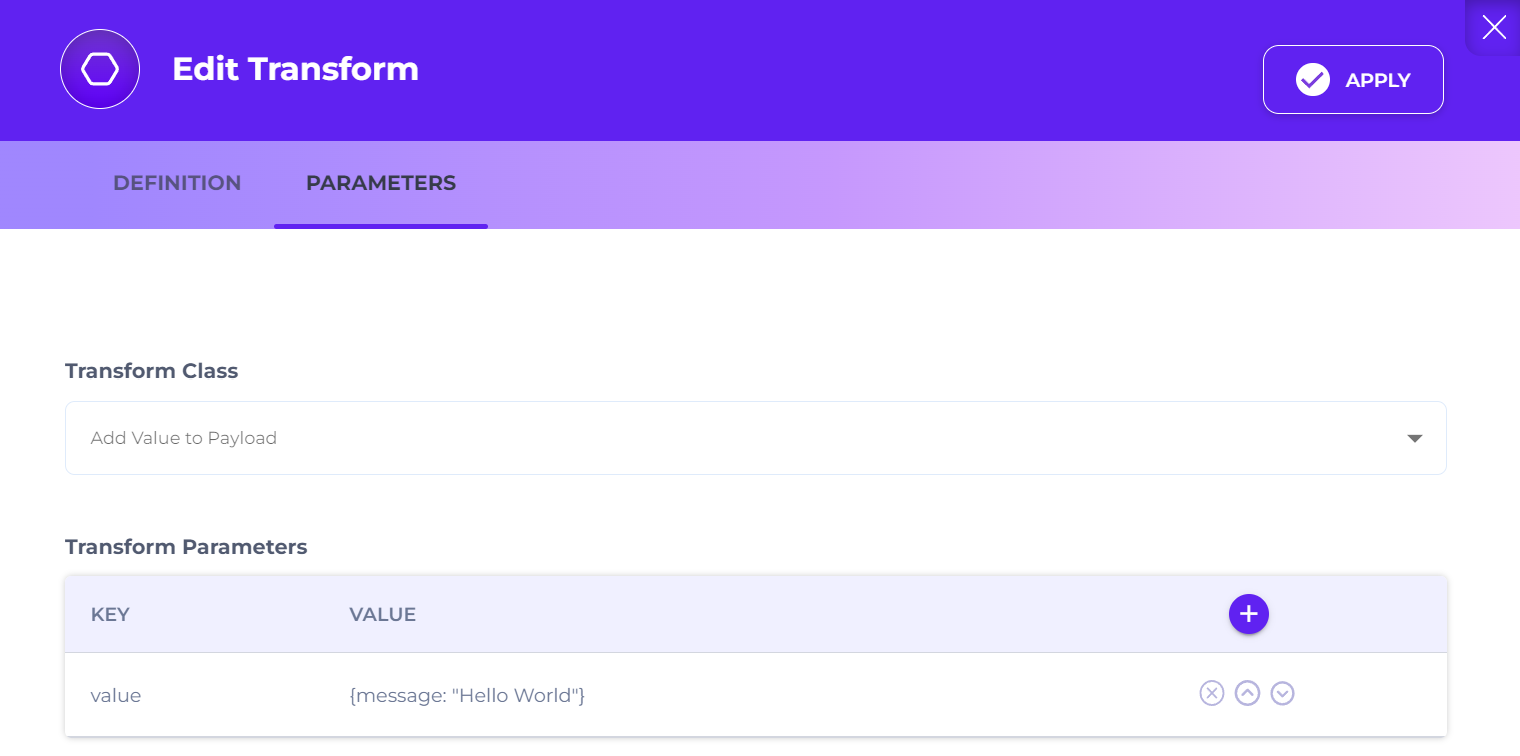
Set these values:
Transform Definition Screen
* **Step Name:** `Say Hello World`
* **Step Description (optional):** `This step adds a static "Hello World" message.`
* **Transform Class:** `Add Value to Payload`
* **Transform Parameters:**
* **Key:** `value`
* **Value:** `{message: "Hello World"}`
Click **Apply** to save the step configuration.
{% hint style="info" %}
**Why does Transform have a “Class”?**
Instead of adding a separate stencil shape for every transformation type, the step stays the same. You switch behavior by selecting a different **Class** (or **Action**) in the step config.
This makes it safer to evolve flows over time. You can change behavior without rebuilding the graph and breaking tracing continuity.
{% endhint %}
The step label should update on the canvas:
Defined Transform Step
{% endstep %}
{% step %}
### Save the saga
Click **SAVE** in the top-right corner.
Save Button
Wait for the runner to pick up changes. In most training setups this is quick. If your environment has a reload interval, give it \~10–30 seconds.
You should see a confirmation notification.
{% endstep %}
{% step %}
### Test the endpoint
Call the API endpoint from your REST client:
`https://[YOUR_ADMIN_API_DOMAIN]/api/request/train_rpc/HelloWorld`
Expected result:
* HTTP `200 OK`
* Body: `{message: "Hello World"}`
{% hint style="info" %}
Remember the saga path is case-sensitive. Use `/HelloWorld` exactly as configured.
{% endhint %}
{% endstep %}
{% endstepper %}
### Troubleshooting
* **404 Not Found**: confirm **Saga Path** and that you saved the saga. Also confirm it’s allowed for **Train RPC**.
* **403/401**: gateway auth is blocking the request. Check your token/session.
* **Saga does not trigger**: confirm the request is routed through `train_rpc` (URL contains `/train_rpc/`).
---
# Agent Instructions
This documentation is published with GitBook. GitBook is the documentation platform designed so that both humans and AI agents can read, navigate, and reason over technical content effectively. Learn more at gitbook.com.
## Querying This Documentation
If you need additional information that is not directly available in this page, you can query the documentation by asking a question.
Perform an HTTP GET request on the following URL with the `ask` and `goal` query parameters:
```
GET https://docs.rierino.com/examples/training-examples/exercise-create-an-api-endpoint.md?ask=&goal=
```
`ask` is the immediate question: it should be specific, self-contained, and written in natural language.
`goal` is what the user is ultimately trying to achieve, the reason they need the answer. Sharing it helps GitBook give you a better, more relevant answer. A goal is most helpful when it describes the outcome the user wants rather than restating the question. For example, with `ask=how do I create an API token`, a goal like `automate deployments from our CI pipeline` lets GitBook tailor the answer to that use case.
The response will contain a direct answer to the question and relevant excerpts and sources from the documentation.
Use this mechanism when the answer is not explicitly present in the current page, you need clarification or additional context, or you want to retrieve related documentation sections.